
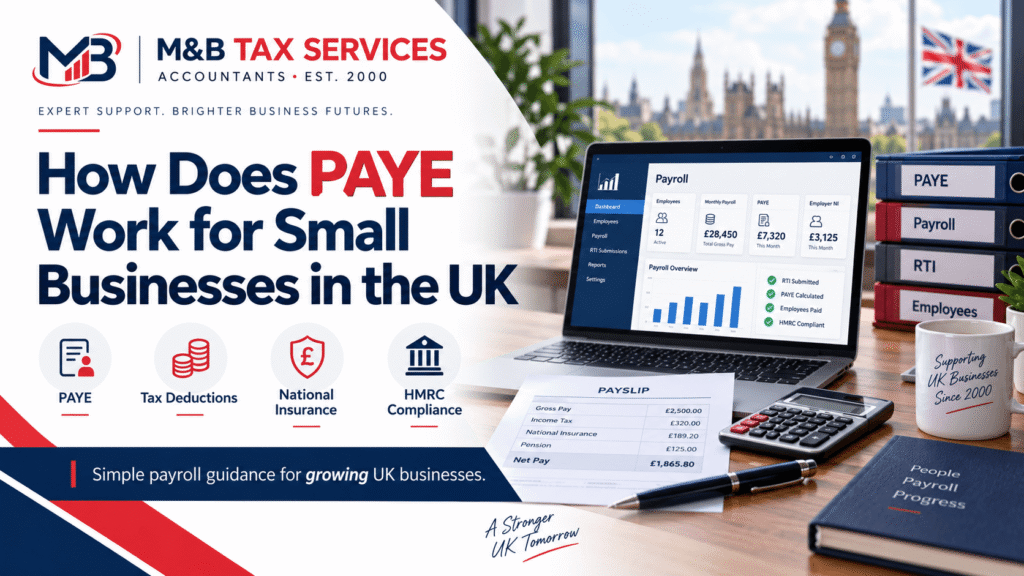
PAYE stands for Pay As You Earn. It is the system HMRC uses to collect Income Tax and National Insurance contributions directly from employee wages. As a small business owner, if you pay yourself or anyone else a salary, you are responsible for running PAYE and sending the correct deductions to HMRC on time.
This guide explains exactly how PAYE works, when you need to register, what you need to pay, and what happens if you get it wrong.
What is PAYE and Who Does It Apply To?
PAYE applies to any business that pays employees or directors a salary above the Lower Earnings Limit, which is £6,396 per year in the 2024/25 tax year.
It applies to:
- Sole traders who employ staff
- Limited company directors paying themselves a salary
- Partnerships with employees on the payroll
- Any business with one or more paid workers
If you are a sole trader with no employees and you take drawings rather than a salary, PAYE does not apply to you. You handle your tax through Self Assessment instead.
When Do You Need to Register for PAYE?
You must register for PAYE with HMRC before your first payday. HMRC recommends registering at least two weeks before you pay anyone for the first time.
You need to register if any of the following apply:
- You are paying an employee £123 or more per week (2024/25 threshold)
- You are offering employee benefits such as a company car or private medical insurance
- You have an employee who already has another job or receives a pension
You can register for PAYE through the HMRC website. Once registered, you will receive a PAYE reference number, which you need to file payroll submissions and make payments.
How Does PAYE Work Step by Step?
Here is how PAYE works each time you run payroll:
Step 1. Calculate gross pay. Work out what each employee earns before any deductions. Include regular salary, bonuses, and any taxable benefits.
Step 2. Apply the tax code. HMRC assigns each employee a tax code, which tells you how much of their income is tax-free. The most common code is 1257L, which gives a personal allowance of £12,570.
Step 3. Deduct Income Tax. Calculate how much Income Tax to deduct based on the employee’s earnings above their personal allowance and their tax band.
Step 4. Deduct National Insurance. Calculate employee National Insurance contributions and add your employer NI contribution on top.
Step 5. Submit an FPS. Before or on payday, submit a Full Payment Submission (FPS) to HMRC through your payroll software. This tells HMRC what you paid and what you deducted.
Step 6. Pay HMRC. Pay the total Income Tax and NI deducted to HMRC by the 19th of the following month (22nd if paying electronically).
Step 7. Pay your employee. Pay the employee their net salary after all deductions.
Income Tax Bands for Employees in 2024/25
The amount of Income Tax deducted depends on the employee’s earnings and which tax band they fall into:
- Personal Allowance up to £12,570: 0%
- Basic Rate £12,571 to £50,270: 20%
- Higher Rate £50,271 to £125,140: 40%
- Additional Rate above £125,140: 45%
Scotland has different Income Tax bands. If your employees are based in Scotland, different rates apply and their tax codes begin with S.
National Insurance Contributions for Small Businesses
As an employer, you pay two types of National Insurance: the employee contribution deducted from their pay, and your own employer contribution on top.
| Earnings Band | Employee NI Rate | Employer NI Rate |
| Up to £12,570 (Personal Allowance) | 0% | 0% |
| £12,571 to £50,270 | 8% | 13.8% |
| Above £50,270 | 2% | 13.8% |
Employer NI is an additional cost on top of the employee’s salary. For every £1,000 you pay above the secondary threshold, you owe HMRC an additional £138 in employer NI.
From April 2025, the employer NI rate increased to 15% and the secondary threshold dropped to £5,000. This means the cost of employing staff has increased for most small businesses.
PAYE Deadlines Small Businesses Must Know
Missing PAYE deadlines results in automatic penalties from HMRC. Here are the key dates to keep in your calendar:
| Deadline | What You Must Do |
| On or before each payday | Submit Full Payment Submission (FPS) to HMRC |
| 19th of each month | Pay PAYE and NI owed (22nd if paying electronically) |
| 5 April | End of tax year |
| 31 May | Issue P60s to all employees |
| 6 July | Submit P11D for expenses and benefits |
Penalties for late FPS submissions start at £100 per month for employers with up to nine employees and rise with headcount. Late payment of PAYE attracts interest and surcharges.
What Payroll Software Do You Need?
HMRC requires you to use payroll software that can submit Real Time Information (RTI) returns. Free and paid options are available.
Common options for small businesses include:
- HMRC Basic PAYE Tools: free, suitable for businesses with fewer than ten employees
- Xero Payroll: integrates with your accounts, good for growing businesses
- QuickBooks Payroll: straightforward for small teams
- Sage Payroll: widely used by accountants and larger businesses
If you use an accountant to run your payroll, they will handle submissions on your behalf using their own software.
Do Limited Company Directors Have to Use PAYE?
Yes, if you pay yourself a salary as a director of a limited company, that salary must go through PAYE.
Most directors pay themselves a small salary up to or just above the personal allowance to avoid Income Tax, and then take the rest of their income as dividends. Dividends are not subject to PAYE but are taxed differently through Self Assessment.
Even if your salary is below the tax threshold, you still need to run PAYE and submit an FPS each pay period if you are paying yourself above the Lower Earnings Limit.
Common PAYE Mistakes Small Businesses Make
- Registering for PAYE too late, after the first payday
- Using the wrong tax code for an employee
- Forgetting to submit an FPS before payday
- Not accounting for employer NI in the business budget
- Missing the P60 deadline at year end
- Failing to report employee benefits on a P11D
HMRC cross-references FPS submissions with payments received. Inconsistencies trigger compliance checks.
Frequently Asked Questions About PAYE
What does PAYE stand for?
PAYE stands for Pay As You Earn. It is HMRC’s system for collecting Income Tax and National Insurance from employees at source, before they receive their pay.
Do I need to register for PAYE if I am the only employee?
Yes, if you are a limited company director paying yourself a salary above the Lower Earnings Limit (£6,396 per year in 2024/25), you must register for PAYE even if you are the only person on the payroll.
What is an FPS in PAYE?
An FPS (Full Payment Submission) is a report you send to HMRC on or before each payday. It tells HMRC how much you paid each employee and what deductions you made. It must be submitted using RTI-compliant payroll software.
What happens if I miss a PAYE payment to HMRC?
HMRC charges interest on late PAYE payments. Persistent late payment can result in penalty surcharges of up to 4% of the amount owed. HMRC also sends automated reminders and can open a compliance investigation.
Can I outsource my payroll to an accountant?
Yes. Many small businesses hand their payroll to an accountant or payroll bureau. The accountant handles FPS submissions, calculates deductions, and makes sure deadlines are met. You just approve the payslips and make the payments.
Is PAYE the same as National Insurance?
No. PAYE is the system used to collect both Income Tax and National Insurance. National Insurance is one of the two deductions made through the PAYE system. The other is Income Tax.
Need Help Running Payroll?
M&B Tax Services handles payroll for small businesses and limited companies across the UK. We manage FPS submissions, calculate deductions, and make sure you never miss a deadline.
We are ICB-regulated accountants based in Rugby. Whether you have one employee or twenty, we take payroll off your plate completely.
Book a free 30-minute call and we will show you exactly what we handle and what it costs.

Joanna Bruty
- On this page