
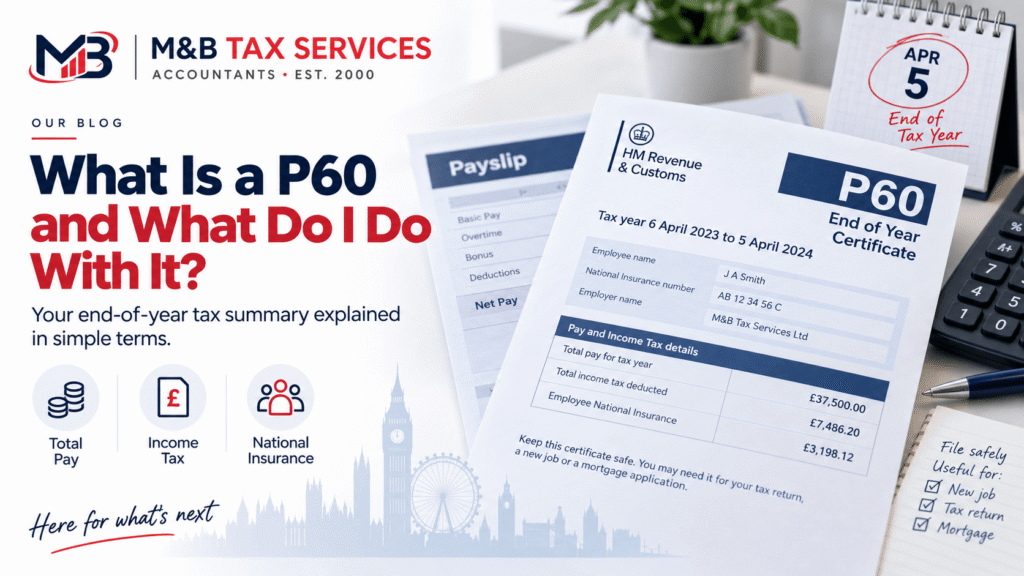
A P60 is an end-of-year tax summary that your employer gives you after each tax year ends on 5 April. It shows your total earnings and the total tax and National Insurance deducted from your pay during that tax year.
If you are employed, you should receive a P60 from every employer you worked for during the tax year by 31 May following the end of that year. It is an important document and you should keep it safe.
What Information Is on a P60?
| Field | What It Shows |
| Total pay in the year | Your gross earnings from this employer for the full tax year |
| Total tax deducted | The total Income Tax deducted through PAYE during the year |
| National Insurance contributions | Your employee NI contributions for the year |
| Tax code at year end | The tax code your employer used to calculate your deductions |
| NI number | Your National Insurance number |
| Employer details | Your employer’s name, address, and PAYE reference number |
| Student loan deductions | If applicable, the total student loan repayments made |
If you had more than one employer during the tax year, you receive a separate P60 from each employer who was paying you on 5 April (the last day of the tax year). Employers who you left before 5 April give you a P45 instead.
When Should You Receive Your P60?
Your employer must give you your P60 by 31 May following the end of the tax year. The tax year ends on 5 April, so for the 2024/25 tax year (which ends 5 April 2025), your P60 must be provided by 31 May 2025.
Most employers issue P60s in April or early May. Many now provide them digitally through payroll portals or by email rather than as paper documents. Both formats are equally valid.
If you have not received your P60 by 31 May, contact your employer’s payroll department. If your employer refuses to provide one or cannot be contacted, HMRC can help you obtain the information.
What Do You Use a P60 For?
Self Assessment tax return
If you file a Self Assessment tax return, you need your P60 to accurately report your employment income and the tax already deducted. Entering incorrect figures because you estimated rather than using your P60 is one of the most common causes of Self Assessment errors.
Checking you have paid the right tax
Your P60 allows you to verify that the correct amount of tax was deducted from your pay during the year. If you were on the wrong tax code at any point, you may have overpaid or underpaid tax. HMRC reconciles most PAYE accounts after the year end and issues P800 letters to people who have overpaid or underpaid, but checking your P60 yourself gives you earlier visibility.
Proof of income
A P60 is widely accepted as proof of income for mortgage applications, rental applications, loan applications, and benefit claims. It provides an independently verified record of your earnings and tax paid, which lenders and other organisations trust.
Tax rebate or refund claims
If you believe you overpaid tax during the year, for example because you were on an emergency tax code for part of the year, your P60 is the key document you need to support a repayment claim with HMRC.
Credit applications
Banks, mortgage lenders, and other credit providers often ask for P60s as part of income verification. Keeping your last two or three P60s means you always have recent income proof available when needed.
P60 vs P45: What Is the Difference?
| P60 | P45 | |
| When issued | After the tax year ends (by 31 May) | When you leave a job during the tax year |
| What it covers | Full tax year with that employer | From the start of the tax year to your leaving date |
| Who receives it | Employees still employed on 5 April | Employees who leave before 5 April |
| What you do with it | Keep it for your records, use for Self Assessment | Give Part 2 and 3 to your new employer so they use the right tax code |
| Number received per year | One per employer you worked for on 5 April | One each time you leave a job |
P60 for Limited Company Directors
If you are a limited company director paying yourself a salary through your own company’s payroll, your company must issue you a P60 just like any other employer. The P60 covers your director’s salary for the tax year.
Your dividends do not appear on your P60. Dividends are not processed through PAYE and are not included in payroll records. You declare dividends separately on your Self Assessment return.
If you run your own company’s payroll, you are responsible for producing your own P60 using your payroll software. Most payroll software generates P60s automatically at the end of the tax year.
| Keep P60s for at least 22 months HMRC recommends keeping your P60 for at least 22 months after the end of the tax year it relates to. In practice, keeping them for five years is safer, particularly if you file Self Assessment returns, as HMRC can investigate returns for up to four years in most cases. |
What if You Have Lost Your P60?
If you have lost your P60, your employer should be able to provide a replacement copy or reprint. For current employers, ask the payroll department. For previous employers, contact their HR or payroll team.
If you cannot get a replacement from your employer, HMRC holds records of the pay and tax figures reported by your employer through Real Time Information (RTI). You can access an estimate of your employment income and tax paid through your Personal Tax Account at gov.uk. This information can be used in place of a P60 for Self Assessment purposes, though original documents are preferred for mortgage and credit applications.
Frequently Asked Questions
Do self-employed people get a P60?
No. A P60 is issued by an employer to an employee. If you are self-employed and not on any payroll, you do not receive a P60. Your income and tax records are managed through your Self Assessment return instead. If you are both employed and self-employed, you receive a P60 from your employer for your employment income only.
What do I do if my tax code on my P60 looks wrong?
Check your tax code against HMRC’s guidance. If you believe you were on the wrong tax code during the year, contact HMRC on 0300 200 3300 or through your Personal Tax Account. HMRC will review your record and issue a P800 if you overpaid tax, which leads to a refund. If you underpaid, HMRC will collect the shortfall through an adjustment to your tax code in the following year.
Can I get a P60 from a previous employer?
Yes. Previous employers are required to keep payroll records and should be able to provide a copy of your P60. Contact their payroll or HR department with the relevant tax year. If the employer no longer exists, contact HMRC directly who can provide the employment income and tax figures from their RTI records.
Do I need a P60 to file my Self Assessment return?
You need the information on your P60 rather than the physical document itself. Your P60 shows your total employment income and tax deducted, which must be entered accurately on your Self Assessment return. Without this information, you risk entering incorrect figures and either overpaying or underpaying tax.
My employer has gone into administration. How do I get my P60?
If your employer has gone into administration or liquidation, the administrator or liquidator takes over payroll obligations and should issue your P60. If this does not happen, contact HMRC directly. HMRC receives RTI data from employers throughout the year and holds records of pay and tax reported for each employee.
Need Help With Your Payroll or Self Assessment?
M&B Tax Services handles payroll for businesses across the UK, including issuing P60s, P45s, and all year-end payroll documents. We also prepare Self Assessment returns for employees and directors who need to declare employment income alongside other sources.
We are ICB-regulated accountants based in Rugby. If you have questions about your P60, your tax code, or whether you have paid the right amount of tax, we can review your position and give you a straight answer.
Book a free 30-minute call and we will check your tax position at no cost.

Joanna Bruty
- On this page